Claim groups: Unanimous, Majority, Partial, Solo, Split
Synsa for Android™
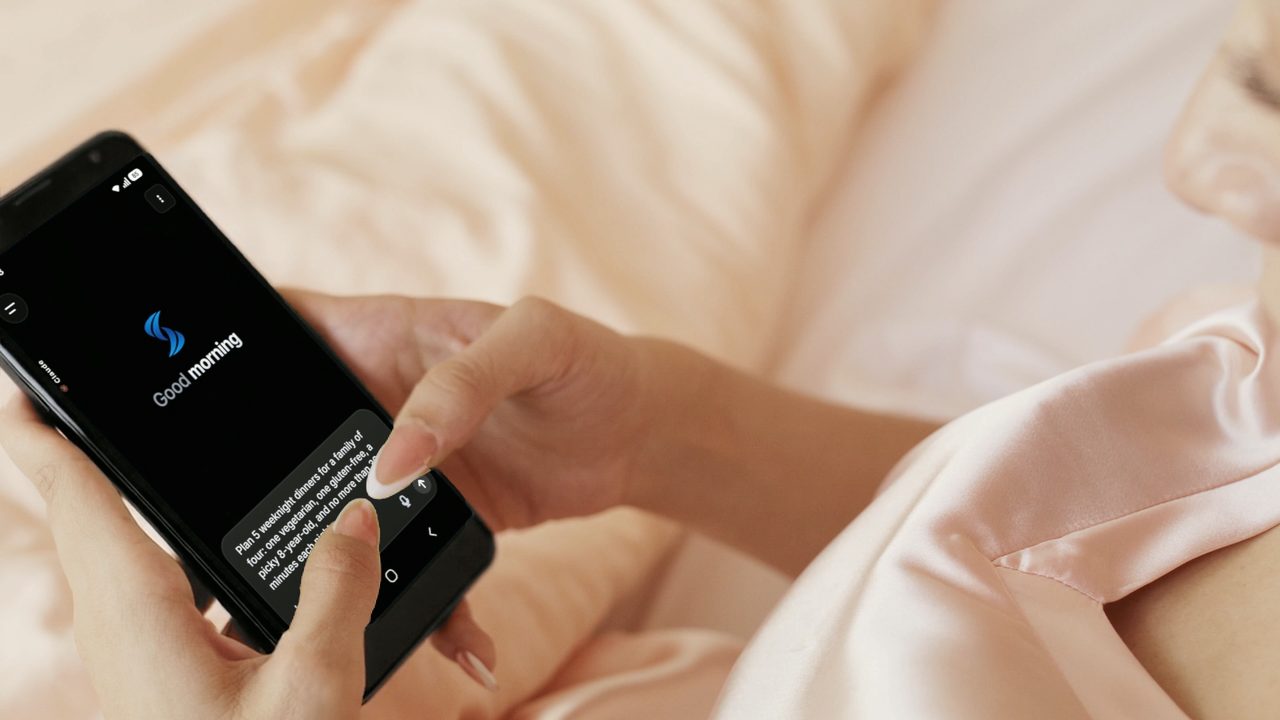
Any one AI can be wrong. Ask the leading AIs at once, see where they agree and hear one short summary.
Works with
 Claude
 ChatGPT
 Gemini
 Grok
 Perplexity
+ many more
Claude
ChatGPT
Gemini
Grok
Perplexity
+ many more
App demoOne question goes to every AI you picked. Light runs round the edge while they think, then the answers are written.Turn on JavaScript to play it
Every AI
The leading AIs. One app.
Synsa connects to two AI stores, OpenRouter and Nano-GPT. Start with the AIs you know, then add more from the makers below.
- Claude, by Anthropic, 15 models
- ChatGPT, by OpenAI, 69 models
- Gemini, by Google, 43 models
- Grok, by SpaceXAI, 7 models
- Perplexity, 5 models
- DeepSeek, 14 models
- Qwen, 74 models
- Mistral, 20 models
- Meta, 15 models
- Kimi, by Moonshot, 8 models
- NVIDIA, 8 models
- Z.ai, 23 models
- MiniMax, 15 models
- ByteDance, 26 models
- FLUX, by Black Forest Labs, 12 models
- Kling, 9 models
- Microsoft, 8 models
- Amazon, 5 models
- Cohere, 7 models
- Xiaomi, 5 models
- Tencent, 7 models
- Recraft, 6 models
- inclusionAI, 5 models
- Sakana AI, 5 models
- Baidu, 4 models
- Inception, 4 models
- Ideogram, 3 models
- Krea, 3 models
- Luma, 3 models
- StepFun, 3 models
- Upstage, 3 models
- IBM, 2 models
- Lightricks, 2 models
- Poolside, 2 models
- Runway, 2 models
- Thinking Machines, 2 models
- Vidu, 2 models
- Liquid AI, 1 model
- chat models
- 330+
- picture models
- 60+
- video models
- 40+
- AI makers
- 30+
You pay OpenRouter and Nano-GPT directly for what you use, and Synsa shows what every question, call and picture cost. We highly recommend connecting both: Nano-GPT adds dozens of picture and video AIs, OpenRouter brings Perplexity, and when both sell the same AI, Synsa offers the cheaper one.
Counted in October 2026 for the Google Play version of Synsa, each model once. The list changes as the stores add and remove models.
Memory
You decide what each AI knows.
Tell Synsa about yourself once. Every AI knows you.
- Fill in a few facts. Each saves itself.
- Tap how they should answer.
- Add rules every AI follows.
- In Shared with, take Perplexity off.
- Untick your city for ChatGPT, your pets for Grok.
- See what Grok gets shows no pets.
Kept on your phone. Sent with your messages, to the AIs you tick. If you share your location, Perplexity’s web search, Open‑Meteo and OpenStreetMap get it for weather and place questions.
App demoFill in Memory, then choose exactly what each AI gets.Turn on JavaScript to play it
How it works
Ask once. Read, listen, compare.
On the question at the top of this page, every AI left out points the others made. Ask once and get them all. See where they agree.
Ask
Ask all your AIs at once.
Claude, ChatGPT, Gemini, Grok, Perplexity and any AI you add answer side by side. Pick how hard they think, then swipe through the answers.
- Type your question.
- Tap the thinking button and pick Long thinking.
- Tap Send. Light runs around the screen while they think.
- Swipe from AI to AI. A pen of light writes each answer.
Long thinking can take a minute or more. The demo speeds up the wait.
Demos recreate the real app. Answers, places and forecasts are examples from September 2026, not advice.
App demoLong thinking, Send, then a swipe through every answer.Turn on JavaScript to play it
Breeze
Where AIs agree. Where they don’t.
Breeze sorts claims by how much the AIs agree.
- Swipe past the answers to Breeze.
- Open a claim to see each AI’s words.
- Open a claim to see which AIs agree with a catch.
- Tap Solo for claims only one AI made.
App demoSwipe to Breeze, open two claims, then a claim with a catch, then filter to Solo.Turn on JavaScript to play it
Each logo is an AI
The mark after it is where that AI stands. The more ticks, the more AIs agree.
Asserts
Agrees.
Qualifies
Agrees, with a catch.
Contradicts
Says the opposite.
Agreement is a signal, not proof.
Summary
The short answer, read to you.
Summary boils every answer down to one clear read: the answer, the key points and a bottom line.
- All the answers are in.
- The Summary lands, and the screen glides over to it by itself.
- It reads out loud right away, lighting up each word as it’s spoken.
In Settings, tick “Read the summary out loud when it’s ready.” Under Read aloud, pick a Highlight color.
App demoThe Summary lands and starts reading out loud.Turn on JavaScript to play it
Read line
Put the words where your eyes are.
While Synsa reads, the words being spoken sit on a thin line. Keep it high, or drag it lower.
- Tap the speaker. The words start on your line, near the top.
- Swipe the knob down, all the way up, then back to the spot you like.
- Let go. A few seconds later, the knob and the line fade away.
To light up each word as it’s said, pick a Highlight color in Settings.
App demoThe read line near the top, swiped down, all the way up and back, then fading away.Turn on JavaScript to play it
Listen faster
Hold the edge. Twice as fast.
When Synsa reads an answer aloud, one finger speeds it up.
- Hold the edge of the answer. It plays at 2×.
- Let go. It’s back to your speed, 1×.
- Tap 1× in the player to pick another speed.
- Pick 1.5× and hold again: 3×.
0.75×1×1.25×1.5×1.75×2×2.5×3×
Holding doubles any speed, up to 6×, and the voice keeps its pitch.
App demoAn answer read aloud at 1×: hold its edge for 2×, let go, then pick 1.5× and hold for 3×.Turn on JavaScript to play it
Highlights
Save the best lines. Find them later.
Highlight any words and add a note, typed or spoken. Every highlight lands in one list you can search and sort into folders.
- Select some words and tap the note icon.
- Type a thought and save it.
- Or hold the Save arrow and talk. Your words appear as you speak.
- Tap a highlight to change its color or put it in a folder.
Six highlight colors
App demoHighlight a line, add a note, then hold Save and talk: the words appear as you speak.Turn on JavaScript to play it
Voice calls
Call any of your AIs. Just like a phone call.
Talk out loud to any of your AIs, from Claude and ChatGPT to Perplexity or one you added, and cut in whenever you like. The answer is set like a magazine page, each word inking in as it’s spoken.
App demoThe answer Claude wrote inks in word by word and a Wikipedia portrait appears.Turn on JavaScript to play it
Voice call · answers by Claude
“How old was Aristotle when he died?”
- Ask out loud. Your words appear under the line.
- The answer inks in as it’s said, under a big letter in the AI’s color.
- Three real pictures rise under the answer, each with its source.
App demoA burger spot near you, with Google Maps cards under the answer.Turn on JavaScript to play it
Voice call · answers by Gemini
“Burger spot near me.”
- Say “near me.” Synsa checks Google Maps around where you are.
- Gemini picks the best match on Google Maps, and the answer tells you where it is.
- Up to five places land below, with drive times and Google Maps links.
App demoThe answer tells you what the weather is like where you are, then this week’s forecast comes up.Turn on JavaScript to play it
Voice call · answers by OpenAI
“What’s the weather like here right now?”
- Ask about “here.” Synsa checks the weather where your phone is.
- The answer tells you what it’s like now, in °F or °C to match your settings.
- Cut in: “And this week?” A forecast card comes up under the answer.
Forecast: Open-Meteo.
In a call, the AI you pick writes the answer. xAI turns your voice into text, and Cartesia speaks the answer out loud: the voice you hear is Synsa’s, not that AI’s own. Voice calls will need a Synsa plan, and plans aren’t on sale yet.
Create
Pictures and videos from a few words.
Your AIs write the detailed prompts. You make the ones you like.
Create images
A rough idea in. A great picture out.
- Tap + then Images with AI.
- Type a rough idea, like “a cozy cabin.”
- Tap Prompt assist and untick the AIs you don’t want.
- Send. Tap Make picture on each of the three prompts.
- The pictures land, each with its time and exact cost.
- Tap a picture to see it full screen. Swipe for the next.
- Tap the model’s name to pick from over 60 picture AIs.
Each price shows before you tap. These three cost $0.004 to $0.005 each on GPT-5.4 Image 2 at Low quality.
App demoThree AIs write prompts for a cozy cabin, then the pictures land. A tap shows them full screen, and a tap on the model’s name opens the list of picture AIs.Turn on JavaScript to play it
Create videos
A few words in. A video out.
- Tap + then Videos with AI.
- Under the model’s name, set the length, shape and sound.
- Type a rough idea, like “fresh bread at my bakery.”
- Tap Prompt assist and pick the AIs that write for you.
- Send. Each AI writes a shot. Tap Make video on the one you like.
- The video lands with its time and exact cost. Watch it full screen.
- Tap the model’s name to pick from over 40 video AIs.
Each price shows before you tap. This 8-second tall clip with sound cost $0.40 on Veo 3.1 Lite and was ready in about a minute.
App demoThree AIs write video prompts for fresh bread at a bakery, then one becomes an 8-second clip with its time and cost. A tap on the model’s name opens the list of video AIs.Turn on JavaScript to play it
Pricing
Start free. Add voice anytime.
On every plan, ask as many AIs as you like, all at once. Paid plans add voice calls and read‑aloud.
Plans aren’t on sale yet. Voice calls, read‑aloud, sharper voice typing, voice‑note transcripts and Google Maps answers will need one.The paid plans aren’t on sale yet. Voice calls, read‑aloud, sharper voice typing, voice‑note transcripts and Google Maps answers will need one.
-
Free
$0
- Ask Claude, ChatGPT, Gemini, Grok, Perplexity and any AI you add.
- Summary and Breeze on every question.
- Image and video AI, with prompt assist.
- Highlights, notes and Memory.
- Uses your own OpenRouter and Nano‑GPT accounts.
Coming soonYou pay them for the AI you use. Terms apply.
-
Starter
$9.99 / month
- Up to 75 minutes of voice calls a month.
- Answers read out loud in natural voices, and each word can light up as it’s spoken.
- Sharper voice typing that shows your words as you talk.
- Voice notes on your highlights, with transcripts.
- Google Maps answers.
- Everything in Free.
Coming soonYou also pay for the AI you use, calls included. Fair use limits and Terms apply.
-
Recommended
Pro
$19.99 / month
- Up to 175 minutes of voice calls a month.
- Answers read out loud in natural voices, and each word can light up as it’s spoken.
- Sharper voice typing that shows your words as you talk.
- Voice notes on your highlights, with transcripts.
- Google Maps answers.
- Early access to new features.
- Everything in Free.
Coming soonYou also pay for the AI you use, calls included. Fair use limits and Terms apply.
-
Ultimate
$39.99 / month
- Up to 375 minutes of voice calls a month.
- Answers read out loud in natural voices, and each word can light up as it’s spoken.
- Sharper voice typing that shows your words as you talk.
- Voice notes on your highlights, with transcripts.
- Google Maps answers.
- Everything in Pro.
Coming soonYou also pay for the AI you use, calls included. Fair use limits and Terms apply.
FAQ
Questions, answered.
What is Synsa?
Synsa is an Android app that puts your question to as many top AIs as you like, all at once. You swipe through their answers and get one clear Summary, and Breeze shows where they agree and where they don’t.
Which AIs can I use?
Claude, ChatGPT, Gemini, Grok and Perplexity are there from the start. Add more of the leading AIs, such as DeepSeek, Kimi, Qwen or Mistral. New models show up on their own twice a day, with no app update.
How is Synsa different from ChatGPT or Claude?
ChatGPT is one AI. Synsa asks ChatGPT and the other leading AIs together and shows you every answer side by side, so you can compare them and decide for yourself. You don’t need a ChatGPT, Claude or Gemini subscription.
Do I need my own AI account?
Right now, yes. The AIs answer through your own OpenRouter and Nano‑GPT accounts, two shops that sell pay‑as‑you‑go access to hundreds of AIs. Each one connects in Synsa with one tap, and there’s no key to copy. We highly recommend connecting both: Nano‑GPT adds dozens of picture and video AIs, OpenRouter brings Perplexity, and when both sell the same AI, Synsa offers the cheaper one.
Do I need a paid plan?
No. The Free plan asks all your AIs and gives you the summary and Breeze. Starter, Pro and Ultimate add up to 75, 175 or 375 minutes of voice calls a month, answers read out loud in natural voices, sharper voice typing, voice notes with transcripts, and Google Maps answers, with the fair use limits in our Terms. Pro and Ultimate also get early access to new features. Each plan also has everything in Free. The paid plans aren’t on sale yet.The paid plans aren’t on sale yet.
How does paying OpenRouter and Nano‑GPT work?
You add credit on their websites, and each answer uses a little of it. That money goes to them, not to Synsa. Synsa shows what every question cost, and offers the cheaper shop when both sell the same model.
How do voice calls work?
You talk with the AI you pick, hands‑free, like a phone call. It can check the weather, find places near you and look up the news. Talk over it any time, and the call pauses by itself after two quiet minutes.
Are the answers always right?
No. Any AI can make mistakes. That’s why Synsa puts several side by side, and Breeze marks where they agree and where they don’t. For money, health or legal questions, check with an expert.
What about my privacy?
Read our Privacy Policy.
Can I cancel or get a refund?
The plans aren’t on sale yet. When they are, you can cancel any time, and your first payment for a plan comes with a 14-day money-back guarantee. Our Terms and Refund Policy have the details.The paid plans aren’t on sale yet. When they are, you can cancel any time, and your first payment for a plan comes with a 14-day money-back guarantee. Our Terms and Refund Policy have the details.
Can I try Synsa now?
Yes, on an Android phone (Android 8.0 or newer). Join the Android test in three steps:
- Join the Synsa testers group with the Google account on your Android phone.
- On that phone, open the test link and tap Become a tester.
- Then open Synsa on Google Play and tap Install. Searching Google Play won’t find it during the test.
To get answers, connect your own OpenRouter or Nano‑GPT account in the app, and pay them only for what you ask. It’s a test version, so things may change.
When can I get it, and which phones work?
Synsa is coming soon to Google Play, for Android 8.0 or newer. Get Synsa news and we’ll email you when it’s out.Synsa is on Google Play, for Android 8.0 or newer. Get it on Google Play.
Is there an iPhone app, or one for computers?
Not yet for iPhone. Synsa is on Android first, and iPhone is on the way. There’s no computer version. Synsa is a phone app.